Thanks Chad for the feedback. We'll make the updates in the documentation to make the descriptions of the metrics clear.
Original Message:
Sent: 06-23-2023 06:23
From: Chad Blanton
Subject: New Alert process - Maximum time to answer?
Thanks Nikhail, I'll try that and verify. I would encourage you all not to change the name of metrics moving forward if you don't have to. Based on how some of your other metrics are worded and how others work, because there was an existing "Maximum time to answer" before, "Max Answer" would make me think it's a threshold of answered calls in a day/interval that gets alerted on.
When you start renaming and shuffling metric definitions, it causes confusion.
------------------------------
Chad Blanton
North American Bancard
------------------------------
Original Message:
Sent: 06-16-2023 15:28
From: Nikhil Ponnam
Subject: New Alert process - Maximum time to answer?
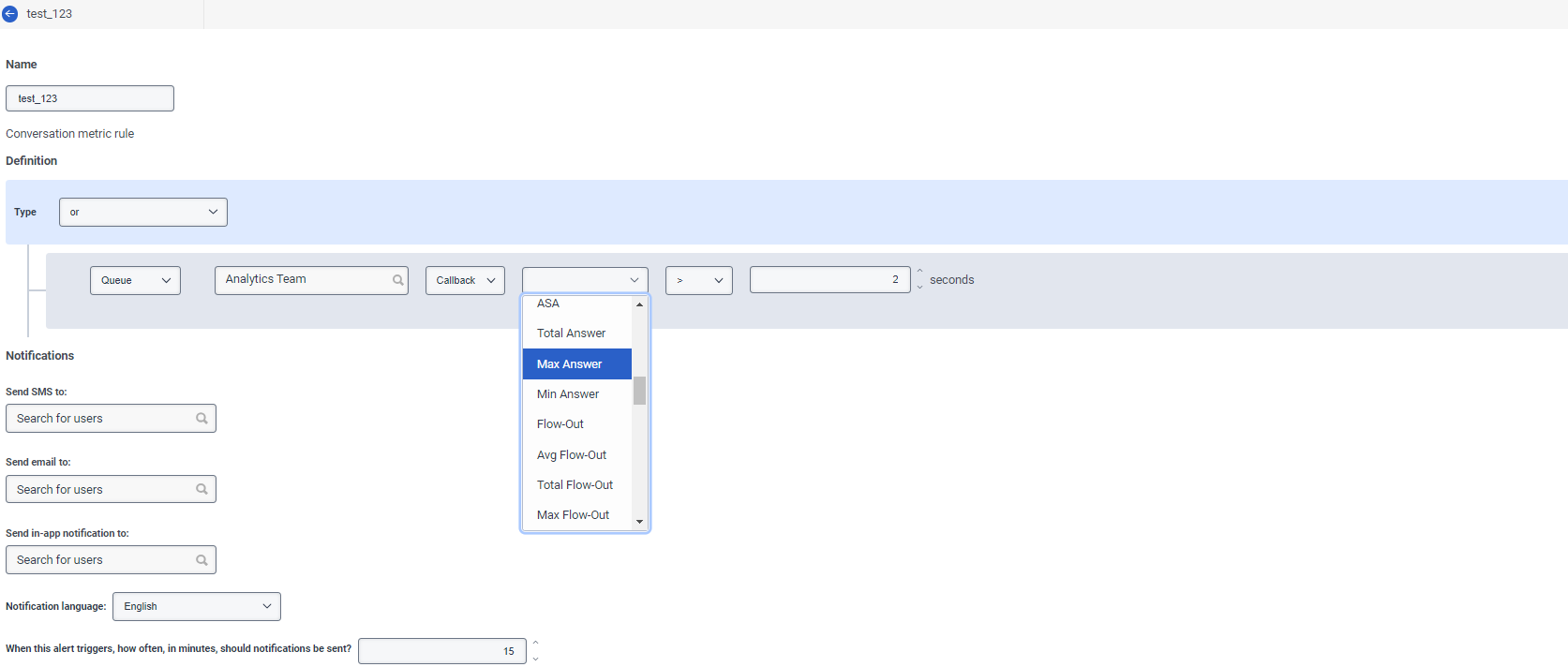
Thanks for the clarification. Max Answer is the one that needs to be used to get the equivalent of "maximum time to answer" in the old system. Max answer looks for max of all the conversations within an interval and if max meets the condition then the alert gets triggered. And when the next interval starts and the condition is no longer met, alert will go back to normal. Interval = 30 minutes. From the above, it looks like either the alert was sending renotifications (assuming renotification frequency is set to every 15 minutes) since the max was still meeting the conditions or there's probably an issue. If you are noticing that the max selection isn't behaving as explained above, please log an incident and we'll look into it asap.
------------------------------
Nikhil Ponnam
Principal Product Manager, Genesys Cloud CX
Original Message:
Sent: 06-16-2023 15:04
From: Chad Blanton
Subject: New Alert process - Maximum time to answer?
Max Wait definitely doesn't work like that. It triggers an alert every interval once the Max Wait has crossed the threshold for the day. E.g. yesterday we hit over out max at 8:30 and at 8:45, 9:00, 9:15, 9:30 etc it triggered another alert even though we weren't holding calls.
I'll try the single conversation metric out, but that's not exactly what I'm looking for either, as Total Wait would include wait time in multiple queues if it's a transfer call.
To be clear, I want to be able to set an alert that triggers whenever an interaction is holding in the queue is over ___ seconds/minutes.
------------------------------
Chad Blanton
North American Bancard
Original Message:
Sent: 06-16-2023 14:38
From: Nikhil Ponnam
Subject: New Alert process - Maximum time to answer?
@Chad Blanton - If I am understanding correctly, "Single Conversation Total Wait" is the one that is needed for this scenario. That metric is available for conversation metric-based alert rules. That selection means that if any single conversation within that specific queue has a total wait time that meets the specified condition, then an alert will be triggered. Is this what you are looking for?
Additionally there are metrics like Max Answer and Max Wait - which allow for looking at all the conversations within that specific queue, in the current time interval and if the max values match the condition, then the alerts will be triggered.
The documentation of the metrics and their definitions is here: Edit an alert rule - Genesys Cloud Resource Center (mypurecloud.com) (refer to the section "Agent, Queue and user presence metrics")
Thanks,
------------------------------
Nikhil Ponnam
Principal Product Manager, Genesys Cloud CX