Hi Katie!
You're on the right track, but there's a key step missing. Here are two options to pass the customer name to your agent script:
Option 1: Set Participant Data Action
In Your Bot Flow:
- Collect the customer name
- Use the Set Participant Data action:
- Attribute Name: "CustomerName"
- Value: Your collected name variable
- Transfer to queue
In Your Agent Script:
- Go to Variables tab
- Add a Basic variable named exactly "CustomerName" (must match your attribute name)
- Enable the Input property
- Reference it in your script: {{CustomerName}}
Option 2: Set Screen Pop Action with Script Inputs
In Your Bot Flow:
- Collect the customer name into a Flow variable (e.g., Flow.CustomerName)
- Use the Set Screen Pop action (Data category):
- Select your published script
- Map Flow.CustomerName to the script's input variable
- Transfer to queue
In Your Agent Script:
- Create a variable (e.g., "CustomerName")
- Enable the Input property (allows the variable to receive values from Architect)
- Reference it: {{CustomerName}}
Important: Variable names and data types must match exactly between your flow and script.
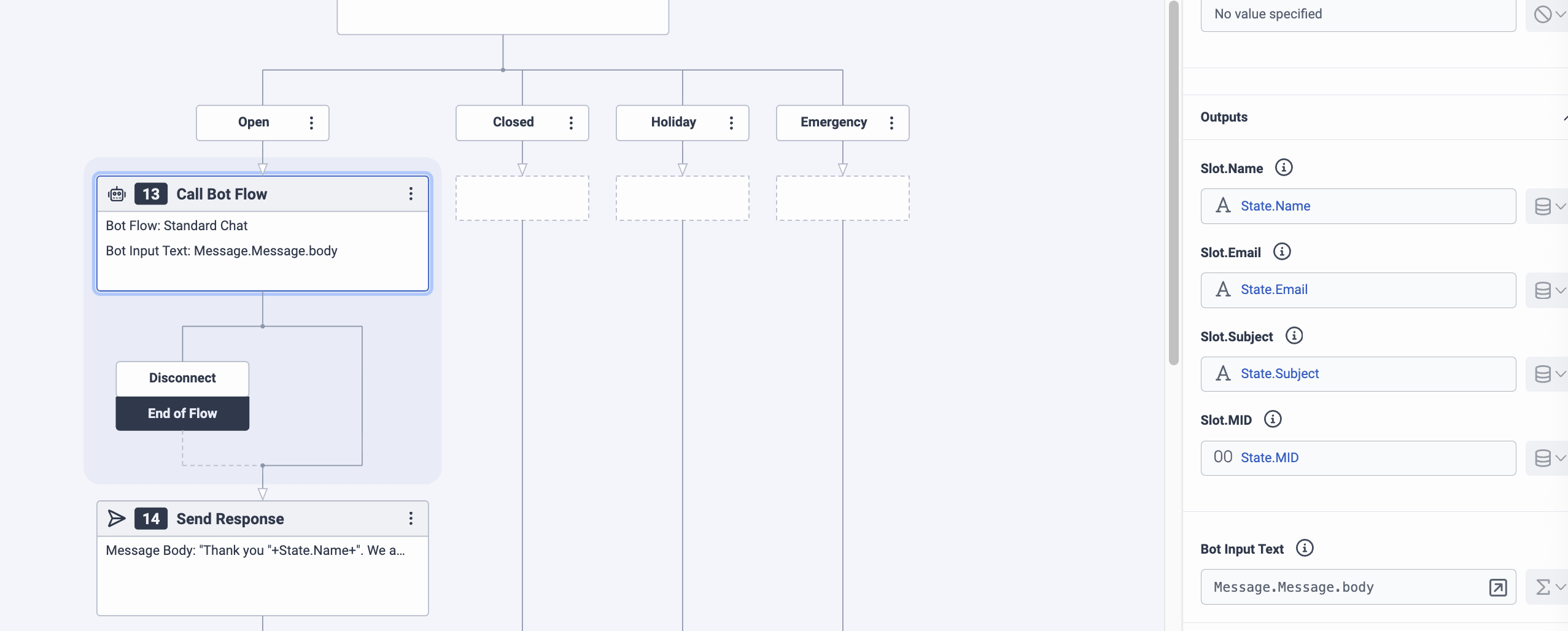
Why State.Name Won't Work
State variables only exist within that specific state. Even Flow variables alone aren't enough - you must either use Set Participant Data OR Set Screen Pop to pass data to agent scripts. Regular variables don't automatically transfer to agents.
Hope this helps
------------------------------
Josh Coyle
Senior Professional Services Consultant
------------------------------
Original Message:
Sent: 04-09-2026 12:53
From: Katie Dodge
Subject: Scripting for web message
To answer your question about collecting the customer's input, it's captured in the digital bot flow. It's in the output as "State.Name"
------------------------------
Katie Dodge
Telecom Analyst
------------------------------
Original Message:
Sent: 04-09-2026 11:08
From: James Brannigan
Subject: Scripting for web message
Hi Katie,
Yes this is possible and there are a few steps required.
Bot flow
In the Bot flow you will need to collect and store the customers name as a attribute like CustomerName.
How do you plan on collecting the customers input?
Scripts
- go to Digital and Telephony > Interactions Assets > Scripts and pick the relevant script your agents will use.
- Click the Variables tab
- Click Add Variable
- Choose Basic variable type (String)
- Name it exactly as your participant attribute (e.g., "CustomerName") - the names must match exactly
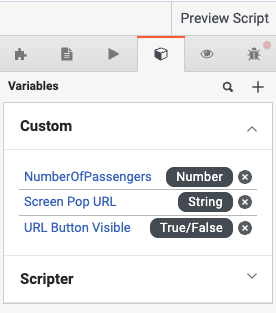
Then you need to enable the input property.
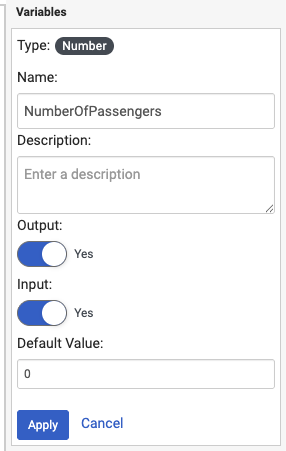
Once these steps are complete, the attribute customer name can be used in the script - Use your input variable, e.g., {{CustomerName}}
Here is the genesys documentation.
Thanks
James
------------------------------
James Brannigan
Senior Technical Account Manager